
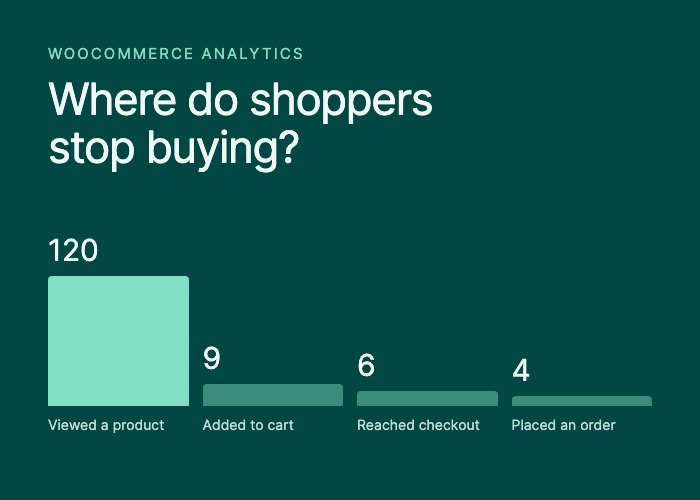
Your conversion rate is the share of visits that end in an order. It is a single division, and most arguments about it come from people dividing different things.
Two choices decide the number
Which orders count. WooCommerce gives every order a status. A pending payment or on-hold order has not been paid yet, so counting it inflates the rate. SlimStat counts orders that are processing, completed or refunded and leaves pending and on-hold orders out. A fully refunded order still counts as an order, because it was placed, while its net sales fall to zero.
Which visits count. Bots, your own visits, excluded users and visitors whose consent choices do not allow tracking should not be in the denominator. SlimStat divides by eligible tracked visits: visits it recorded and is allowed to use.
There is one more choice. If a shopper places two orders in one visit, is that one conversion or two? SlimStat counts the visit once, because the question is how many visits bought, not how many orders there were. That is why it labels the figure Purchase rate (tracked visits):
Purchase rate = visits with an included order ÷ eligible tracked visitsIt describes tracked visits only. Shoppers who were never tracked are in neither half of the division.
Why your tools disagree
Google Analytics divides by its own sessions, with its own consent and bot rules. WooCommerce’s reports count orders but not visits. Your payment provider counts settled payments. Each is correct about its own definition, and none of them will match another to the decimal.
So compare a rate with itself over time, measured the same way. Skip the “average ecommerce conversion rate” articles too. Their figures mix stores, definitions and kinds of traffic, and a gift shop living on social traffic should not be held to the number of a parts supplier that buyers reach by searching a part number.
Small samples move a lot
In the demo store below, 1 of 120 eligible visits bought: a purchase rate of 0.83%. One more order would make it 1.67%. The rate doubles because of one person.
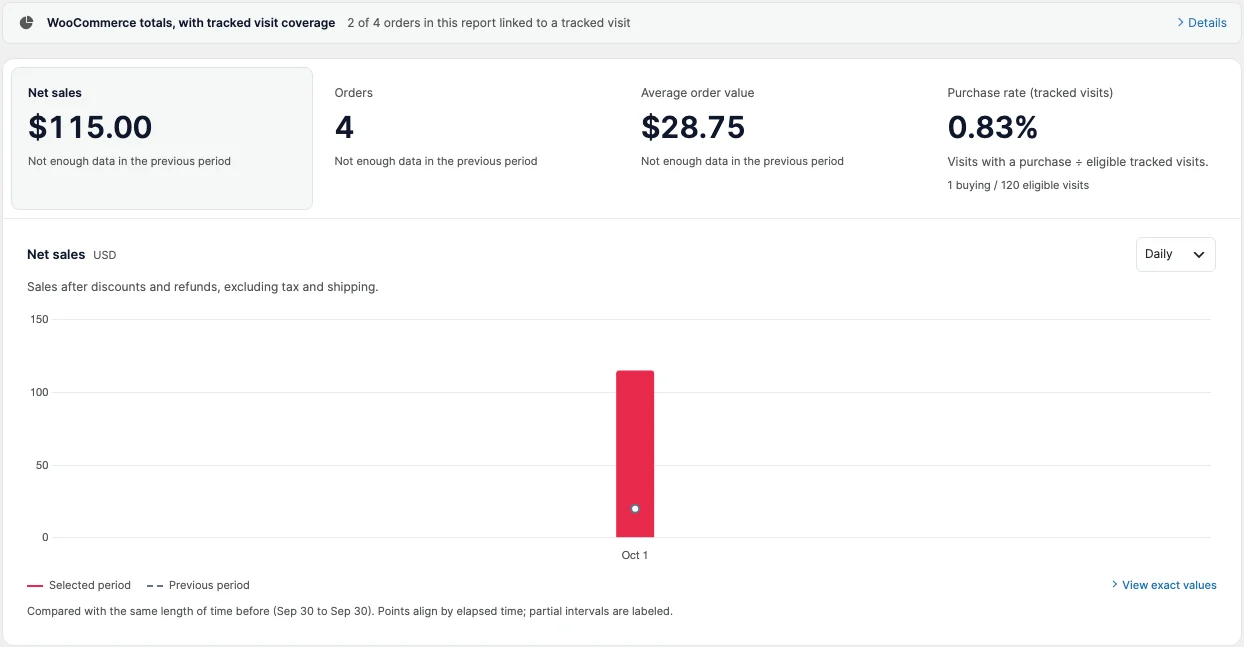
SlimStat Free 6 shown. Demo store, test orders.
That is why SlimStat prints both counts under the rate. Before you react to a change, ask how many orders it represents. If the answer is one or two, widen the date range or wait.
Two more traps:
- Do not average daily rates. A weekly rate is the week’s buying visits over the week’s eligible visits. Averaging seven daily rates gives a quiet Sunday the same weight as a busy Monday. SlimStat recalculates the rate for each day, week or month instead.
- Watch for the week, not just the store. A newsletter, a sale or a holiday changes who visits. A rate that falls during a big social campaign may only mean the campaign brought many people who were browsing.
Find the step where shoppers stop
A rate says how many bought. The purchase journey says where the others stopped. SlimStat counts the visits it observed at each step: viewed a product, added to cart, reached checkout, placed an order.
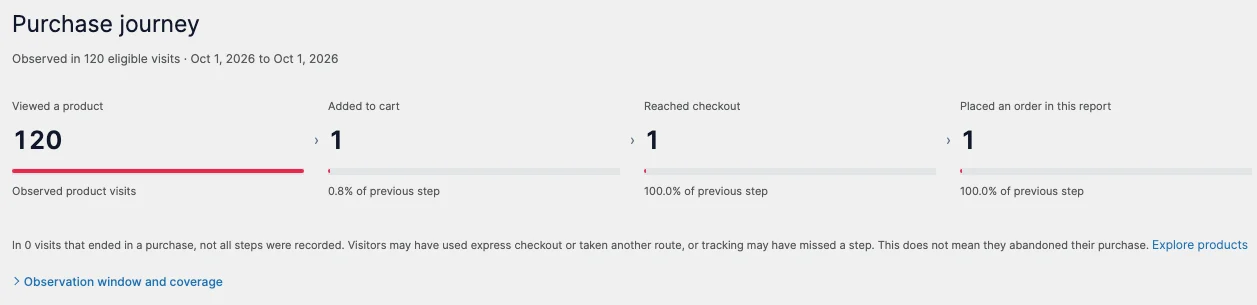
SlimStat Free 6 shown. Demo store, test orders.
Look first at the largest drop between two steps. In the demo store, 119 of 120 product visits never reached the cart, so the product page is where to look, not the checkout.
Two cautions. Express checkout buttons can skip the cart or checkout step, so a missing step means SlimStat did not observe it, not that the shopper gave up. And a drop is a place to investigate, not a diagnosis. SlimStat’s Your next investigation panel lists up to three things worth checking, such as orders without a tracked visit, refunds and the biggest drop in the journey, and treats friction as a hypothesis to test.
Questions to ask at each step
These are things to check, not fixes that are guaranteed to work.
Product page to cart
- Can a shopper see the price, shipping cost and delivery time before adding to cart?
- On a phone, is the add-to-cart button visible without hunting for it?
- Can someone choose a size or color that is out of stock?
Cart to checkout
- Does a cost appear in the cart that the product page did not mention?
- Does an empty coupon field send people away to search for a code?
Checkout to order
- Does checkout force account creation, or does guest checkout work?
- Does it offer the payment methods your buyers expect?
- Have you placed a real order on your own phone recently?
Change one thing at a time. Then compare the same length of time before and after, and read the counts as well as the rate.
Split by where the visit came from
The same store can convert very differently by audience. SlimStat Free 6 shows net sales and orders by channel and source. Pro 3 splits them by UTM campaign, landing page, device, guest or registered account and coupon.
Pro’s splits report orders and net sales, not a purchase rate for each row. They still point somewhere useful. If your traffic reports show most visits come from phones while most orders come from desktops, a phone checkout test belongs at the top of your list.
Start with the numbers you already have
SlimStat Free 6 includes the purchase rate, the purchase journey and the next-investigation panel for WooCommerce, inside WordPress.
See what SlimStat’s WooCommerce analytics show, follow the setup guide, or read how to attribute WooCommerce sales to the marketing that brought them.