
SlimStat Pro · Black Friday 2026
See what brings sales.
Find where visitors leave.
WooCommerce reports, heatmaps and funnels inside WordPress. For store owners, freelancers and agencies improving the sites they manage.
30% off your first year. From $34.30 for 1 site.
Renews at $49/year. Offer runs Nov 20–Dec 1, 2026 (UTC).
14-day money-back guarantee · All Pro features in every plan
Black Friday has ended. Explore today’s Pro plans.
See current plans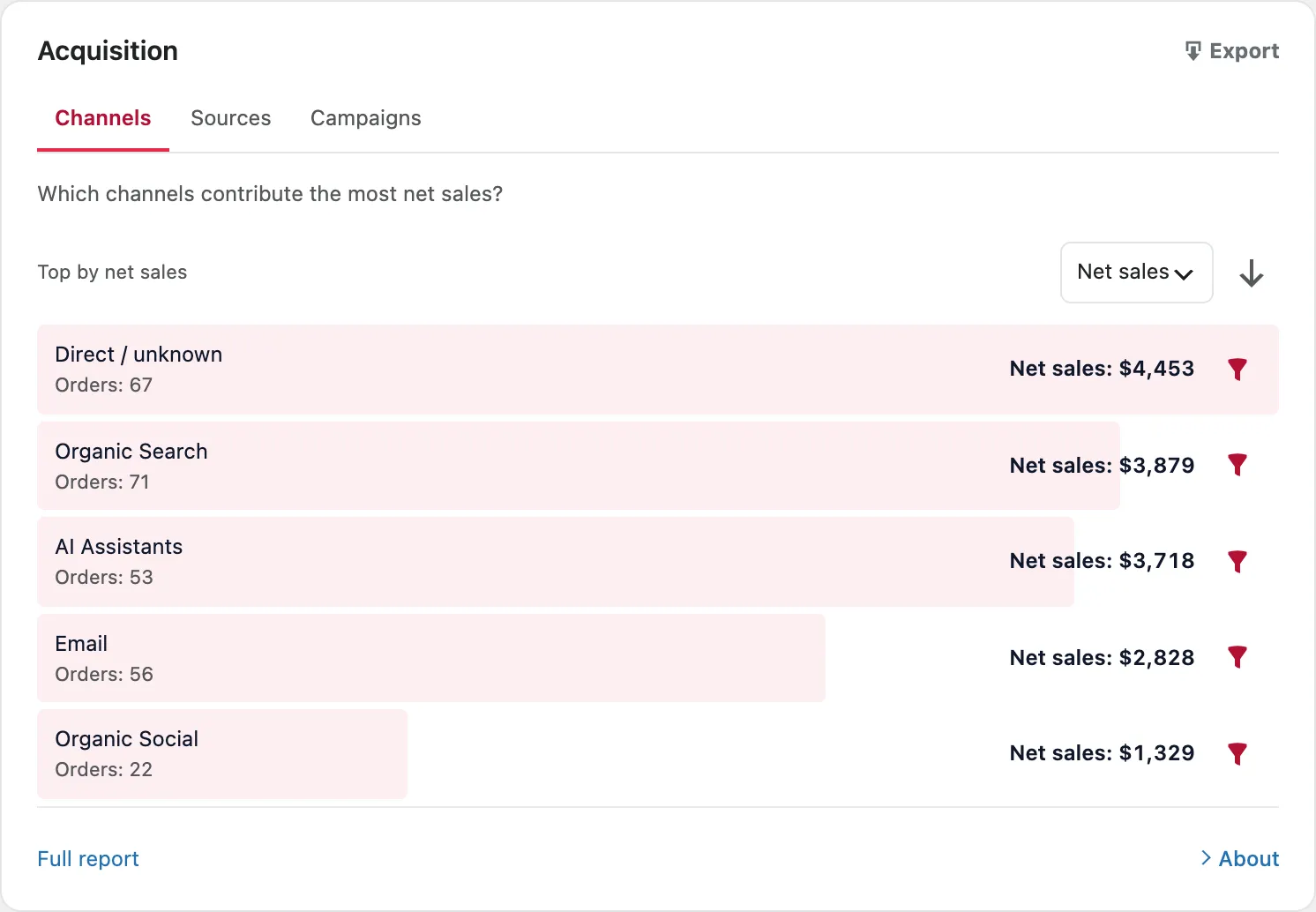
Same Pro features. Choose how many sites.
Start with one site, cover a small portfolio, or give your agency room to grow. Every plan includes one year of updates and support.
-
1 site
For your own site or store
$34.30first year
Renews at $49/year.
Every Pro feature on one WordPress site.
Get Pro for 1 site -
5 sites
For a small client portfolio
$83.30first year
Renews at $119/year.
Every Pro feature on up to five WordPress sites. $16.66 per site for the first year when all five are used.
Get Pro for 5 sites -
Unlimited sites
For agencies managing more sites
$139.30first year
Renews at $199/year.
Add client sites without a per-site license limit.
Get Pro for unlimited sites
14-day money-back guarantee. Contact support within 14 days of purchase to request a refund.
These links pass BFCM2026 to checkout automatically. Check the discount in your order summary; enter the code if it is missing. First payment only; one use per customer. Cancel renewal anytime in your account.
Prices are in USD, before any applicable tax calculated at checkout.
From a report to your next decision
Know what to investigate next.
Compare WooCommerce sales by campaign, landing page and device with Pro. See which recorded visits led to orders and which orders could not be matched. Explore WooCommerce analytics.
See the clicks. Follow the journey.
Click and scroll heatmaps show how visitors interact with a page, including missed content and dead or repeated clicks. Pro adds visual maps and filters to Free’s page list and top clicked elements. See heatmap setup.
Goals and funnels help you investigate where recorded visits leave a signup or checkout journey. Pro includes five active goals and three funnels of two to five steps. Free includes one goal.
Checkout templates need steps that match your store. Consent, tracking gaps and express checkout affect what is recorded; a missing step does not prove abandonment.
Explore goals and funnels →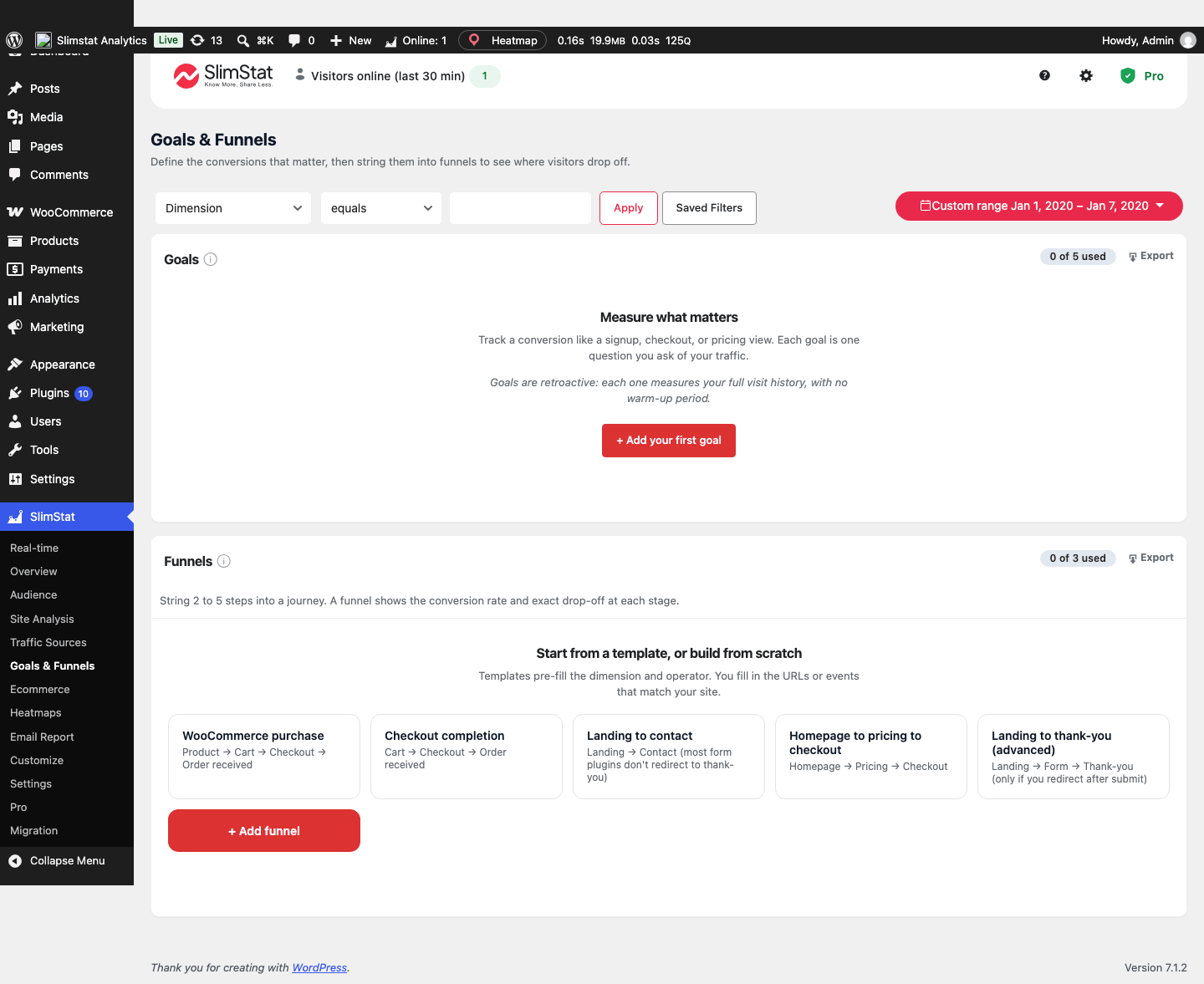
Keep clients and teams informed.
Schedule daily, weekly or monthly reports with Pro. Choose recipients and reports, from top pages and referring domains to Heatmap insights and supported store summaries, with optional CSV attachments.
See what email reports include →Pro AI analysis
Turn reports into useful questions.
Ask AI to summarize an eligible report and suggest what to investigate. Results need your review.
Requires WordPress 7.0+, a connected AI provider and an active Pro license. Aggregate report data goes to that provider; separate charges may apply.
Read the AI requirements →Already useful in Free: live visitor counters, an Access Log and outbound click tracking. Pro adds a live activity chart and toolbar stats, so you can monitor current activity alongside the WordPress sites you manage. Compare Free and Pro.
Before you buy
Installation, licenses and data sharing. AI release availability is noted separately below.
Answers cover Free 6.1.2 and Pro 3.1.1.
What does a Single Site license cover?
A Single Site license covers one WordPress site. For multiple sites, choose the 5 Sites or Unlimited plan. All plans include the same Pro features and one year of updates and support. Compare site licenses.
How do I activate SlimStat Pro 3?
For Pro 3.1, update Free to 6.1.2 first and keep it active, upload the Pro ZIP from your account, activate the Pro plugin, then open SlimStat → Settings → License and save your key. Confirm the license is valid and activated for this site. Both plugins must stay active. Follow the activation steps, or troubleshoot license activation if the key will not save.
Can I get a refund if I'm not satisfied?
Pro includes a 14-day money-back guarantee. Contact support within 14 days of purchase to request a refund. Include your order reference, but keep your license key private.
Will it work with my WordPress site?
What does AI analysis need, and does it cost extra?
What can scheduled reports include?
Where does my analytics data go?
Choose the sites. Get every Pro feature.
One WordPress site or a growing client portfolio, the feature set is the same.
Choose your Pro plan See current Pro plans