SlimStat videos
Short tours of SlimStat 6 and Pro 3, recorded on a demo store with demo data. Captions are on screen, so they work with the sound off. Videos voiced in Japanese have their own section: 日本語の動画.
WordPress Analytics Explained (SlimStat)
Short videos, each under 2 minutes, that answer common WordPress analytics questions: pageviews vs events, bounce rate vs exit rate, sessions vs users, heatmaps vs scroll maps, traffic from ChatGPT and other AI assistants, UTM campaign tracking, cookieless tracking, and the metrics that show whether growth is real.
Each video shows where to find the answer in SlimStat, using a demo store with made-up data, and links to a written guide with the full details. SlimStat keeps your analytics data on your own server.
-
Free
Pageviews vs events: what your analytics misses
A pageview says a page loaded; an event says a visitor clicked or submitted something. See both in SlimStat, what is recorded on its own, and the one limit.
-
Free
Bounce rate vs exit rate: is a high exit rate bad?
What bounce rate and exit rate each count, where SlimStat shows them, and how to tell when many visits ending on a page is fine and when it is a problem.
-
Free
Sessions vs users vs pageviews: what did they come for?
What pageviews, visits and users each count, why the three totals never match, and how entry pages and visit length show what visitors came for.
-
Free list · Pro maps
Heatmaps vs scroll maps: do visitors see your button?
A click heatmap shows where visitors click; a scroll map shows how far they get. See what each found on a demo store, and how to turn them on.
-
Free channels · Pro sources
Is ChatGPT sending you visitors? Check in WordPress
ChatGPT and other AI assistants send real visitors, but most reports file them as referral or direct. See where SlimStat counts them in WordPress.
-
Free reports · Pro goals
Web analytics metrics that tell the real story
Traffic doubled, but is it good news? Three checks in WordPress: count people with Unique IPs, find the channel that grew, and see if the goal moved.
-
Free builder · Pro sources
Which ad brought the visitors? UTM tracking in WordPress
You ran three ads and traffic went up. Tag each link with the free UTM link builder, then see which campaign and which ad brought visitors to WordPress.
-
Free plugin · Tracker settings
Count WordPress visitors without a tracking cookie
Turn off the tracking cookie in WordPress and SlimStat still counts every pageview. See what changes for visits, paths and returning visitors.







English videos
-
Free
How hard does analytics hit a WordPress database?
SlimStat 6, measured for hosting teams: half the row reads on the weekly chart, 68% fewer option updates per pageview and 99% fewer per refused bot.
-
Free 3 of 10 · Pro all
10 AI prompts for WooCommerce that find more revenue
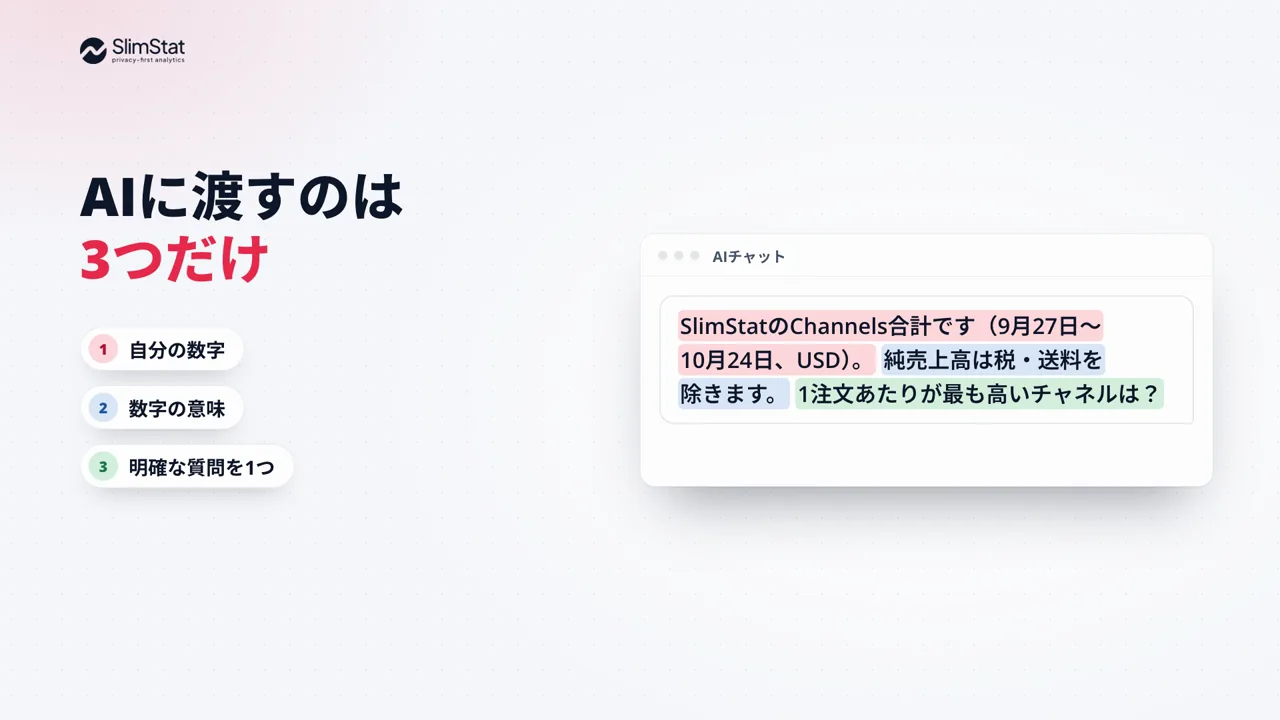
Give AI your numbers, what they mean and one clear question. Five of the ten prompts from the free guide, each with a demo-store answer and a test to run.
-
Free top two · Pro all
Campaign links: find out which campaign worked
Build a tagged link in seconds and copy it, then see which campaign brought the visits. With Pro, see the source behind every campaign.
-
Free core · Pro detail
WooCommerce revenue, next to your traffic
Net sales after discounts and refunds, the channels and products that drive them, and where shoppers drop off between product view and order.
-
Free channels · Pro sources
AI traffic: know when ChatGPT sends you visitors
SlimStat lists AI assistants, AI crawlers and user-requested fetches as their own channels. With Pro, see every source behind them and the sales each brings.
-
Pro
Heatmaps: see what visitors actually do
See where visitors click, how far they scroll and where they rage-click, on desktop, tablet and phone. Open any page’s heatmap from the admin bar.
-
Free 6 · Pro 3
SlimStat 6: analytics that stay on your server
Track AI traffic, campaigns and WooCommerce revenue in your own WordPress database. SlimStat 6 admin charts read half as many database rows.

Japanese videos日本語の動画
-
無料版で3つ・Proで10個すべて
WooCommerceの売上を伸ばすAIプロンプト5選
AIに渡すのは、自分の数字、数字の意味、明確な質問の3つだけ。英語の無料ガイドにある10個のプロンプトから5つを、デモストアでの回答例と次に試す施策つきで紹介します。