
SlimStat Shortcode Playground: Preview and Publish
Applies to SlimStat 6.0.0 and SlimStat Pro 3.0.0 · checked
Version preview: this guide targets SlimStat 6 and Pro 3. The last verified public releases are Free 5.5.0 and Pro 2.0.0. Check your download version before following these steps. Review the upgrade guide.
Open SlimStat → Shortcodes to build a report or counter without writing PHP. The Shortcode Playground is included in Free 6 and is available to people with SlimStat report access.
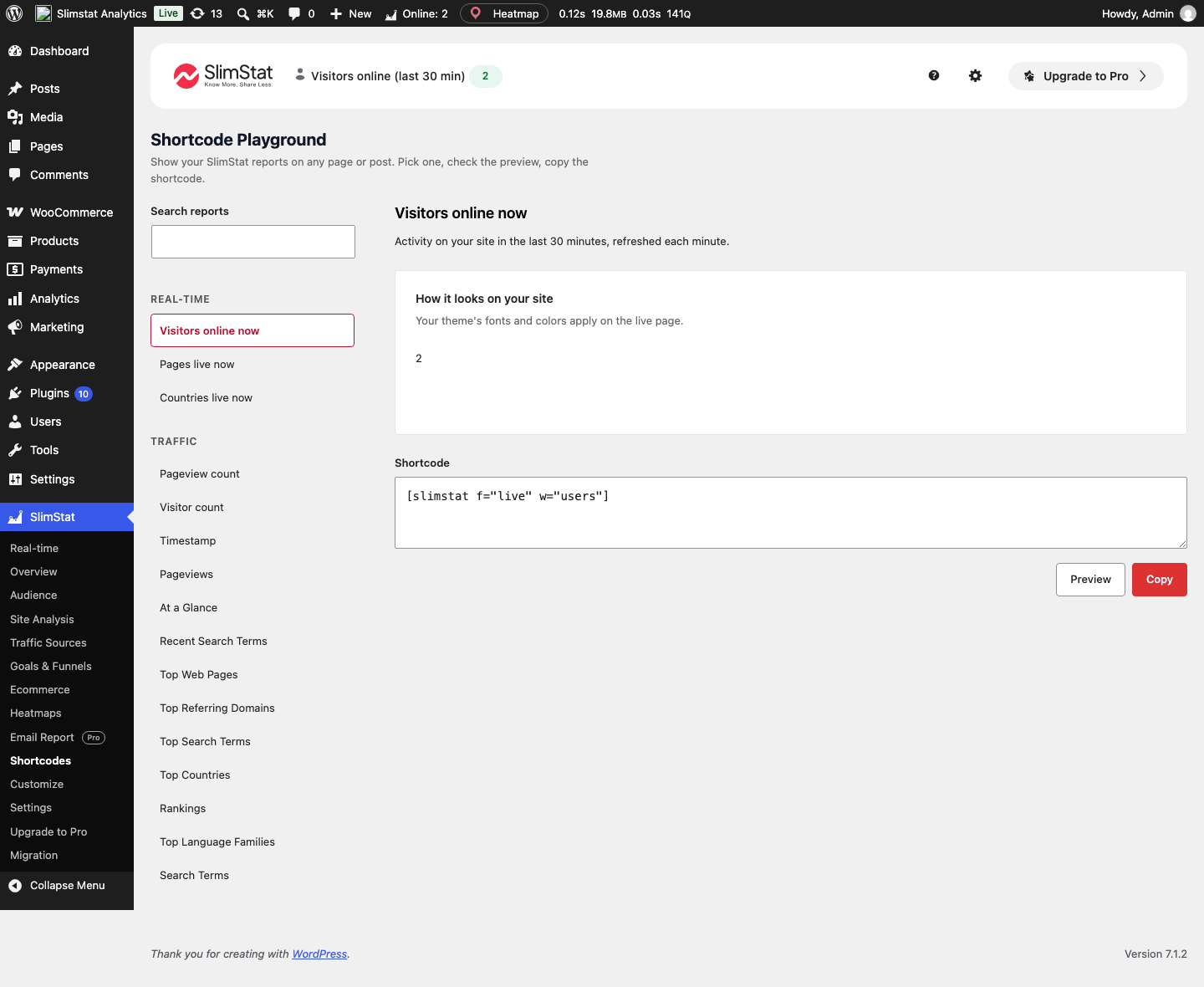
Free 6 preview from the local QA site. The counter is aggregate; no visitor records are shown.
Open the full-size screenshot.
Build your first shortcode
- Search the catalog or browse Traffic, UTM & Channels, Content, Audience and the other groups.
- Choose a report or counter. Check its description and any access restriction.
- Select the display, period and result limit where available, then add the filters you need.
- Review the preview using your site’s data. Pro-only examples on a Free installation are explicitly marked Sample data; they are not your site’s results.
- Copy the shortcode into a WordPress Shortcode block, or use the playground’s test control to inspect an existing shortcode.
- Preview the published page both as an analytics viewer and in a signed-out browser.
Theme fonts and colors apply on the live page. Optional upgrade hints can be dismissed. A Pro sample in the playground does not unlock the corresponding live report.
Know what visitors can see
Public aggregate counters and suitable summaries can render for visitors. Personal data, Access Log and user-report output require analytics-viewing permission; unauthorized visitors see nothing. Aggregate counters such as a count of stored IP values remain available without exposing the addresses themselves.
Ecommerce KPI output requires reporting setup and commerce access as well as analytics access.
Pro report shortcodes
Pro 3 adds four reports to the catalog: Funnels (slim_p9_02), Heatmap insights (slim_heatmap_01), User Overview (slim_p8_01) and Pages by User (slim_p8_02). Without Pro, the playground previews them with sample data. If one is published anyway, signed-in analytics viewers see a short note that it needs Pro, and visitors see nothing. User Overview and Pages by User show only to people allowed to view analytics, even with Pro. See what Pro adds. Review the output before publishing campaign names, paths or other business information.
Do not let a shared page cache serve an authorized user’s private report to other visitors. Exclude restricted report pages from shared HTML caching and test the actual cache configuration.
Live counters and dates
The Visitors online now, Pages live now and Countries live now counters describe activity within the last 30 minutes. Their source counts are cached briefly; a shortcode renders when WordPress generates the page, so full-page caching can keep the displayed number older. It is not a continuously refreshing browser widget.
Other shortcodes use their own period and filters. A generated playground shortcode can specify a different window from a hand-written shortcode’s default current month. URL or form parameters do not change published shortcode filters in v6, and shortcode rendering restores surrounding report state.